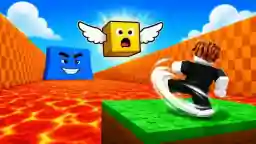



What Is Kick Lucky Block For Brainrot?
Kick Lucky Block For Brainrot (developed by Jungle Games) is a 3D leg-strength training and lucky-block launching browser game focused on physics-driven Brainrot collection and tsunami escape. Where Cursora Labs' Kick Lucky Blocks emphasizes 14-zone online rooms and shared-keyboard 2-player play, Kick Lucky Block For Brainrot zeroes in on dedicated weight-training reps, direct pick-up-and-throw loot handling (E and Q), and giant tsunami waves triggered after powerful arena kicks.
Every rep with your training weights increases how far your next kick sends mystery lucky blocks downrange. The farther a block flies before shattering, the rarer the Brainrot creature waiting inside—provided you can scoop it up and sprint back to your base plot before the towering wave crashes across the lane.
How Weight Training, Throwing & Tsunami Waves Work
- Pump Leg Strength With Weights: Start inside the safe training zone to build raw leg power. Higher leg strength directly extends kick distance so your mystery blocks clear low-tier turf and land in rare Brainrot brackets.
- Launch Mystery Blocks & Track Cheesy Weather Events: Strike lucky blocks with
Left-Clickand watch for special arena weather—including cheesy weather events—that alters field visibility and drop excitement. - Pick Up (
E) & Throw (Q) Brainrot Creatures: Unlike passive auto-pickup systems, Kick Lucky Block For Brainrot gives you active carry controls: pressEto pick up or steal a Brainrot creature on the field, and pressQto throw it forward when repositioning near base boundaries. - Place Creatures on Base Plots for Passive Cash: Slotting rescued Brainrot characters onto your home plots generates steady coins that fund heavier training weights and faster arena loops.
- Respect Post-Kick Tsunami Warnings: Powerful kicks stir up giant tsunami waves that sweep down the runway. Never linger in deep zones with an unbanked rare pull once the wave crest appears on the horizon.
Quick Survival Checklist for Kick Lucky Block For Brainrot
- Use
QThrows Near Your Base Edge: If a tsunami wave is closing fast, throwing a carried Brainrot (Q) toward safe ground just ahead of your sprint path can shave precious frames off your return trip. - Alternate Training Sets With Retrieval Runs: Doing short weight-training bursts between every two or three kicks keeps your distance scaling smoothly instead of grinding starter commons.
- Try All Four Arenas on Site: Compare this build with 2-player Kick Lucky Blocks on the homepage, sneak into guarded nests in Steal An Egg Online, mine the Titanic Egg in Break and Steal an Egg, or check rarity tiers in our Kick a Lucky Block Power & Rarity Guide.
Player Field Notes & Tips
What was your rarest Lucky Block pull or farthest kick before the tsunami arrived? Share verified tips or 2-player strategies below.